
One Touch Switch (OTS) Broadband Switching
One Touch Broadband Switching – The Easiest Way to Change Broadband Providers in 2026

One Touch Switch (OTS) is the industry-standard process that allows UK broadband customers to switch providers by simply signing up with the new internet provider. Fully implemented since September 2024, it removes the need to speak to your old provider to cancel, making switching faster, easier, and free from the “hard sell” retention calls of the past.
Whether you are moving from BT to Virgin Media, or Sky to a full fibre alt-net, the “One Touch” system handles the entire transfer, including cancellation and number porting, automatically.
One Touch Switch (OTS) Key Takeaways
- You only talk to your new provider; they cancel your old contract for you.
- Switches can happen in as little as one working day, though standard lead times are typically 10–14 days.
- The process is designed to ensure you never lose internet access for more than a few minutes.
- Applies to all home broadband and landline switches at the same residential address, regardless of the underlying network (e.g., Openreach to CityFibre).
- If your switch is delayed or goes wrong, you are entitled to automatic compensation from your provider.
One Touch Switch: How the Process Works
Switching broadband is now even simpler thanks to the industry’s One Touch Switch (OTS) system. Everything happens online, and your new provider handles the entire process for you behind the scenes. You choose a deal, sign up on the provider’s website, and OTS ensures both providers coordinate the switch without you having to chase anyone. Here’s how the process works from start to finish.
-
Pick the deal you want: Browse and compare broadband packages online, then choose the one that fits what you need.
-
Sign up online with your new provider: Complete the order on the new provider’s website. Everything is handled digitally, and you don’t need to contact your old provider at any point.
-
Your details are shared behind the scenes: Your new provider automatically sends your address and current service information to your old provider so the switch is matched to the right line..
-
Your old provider confirms the final bits: They’ll let you know when your current contract ends and whether any charges apply. If you’re happy, you simply approve the switch.
-
Your service moves over: Your new provider completes the switch on your chosen activation date. Any equipment, such as a new router, will arrive beforehand, and if an engineer is required they’ll visit prior to the switch going live.
See what’s available in your area
Now that the “admin headache” of switching has been removed, the only question left is: who can you actually switch to?
The UK broadband market is moving fast. New “full fibre” networks are being built every day, often by smaller local companies (Altnets) as well as the big names like Virgin Media and Openreach. You might have access to gigabit speeds for a lower price than you are paying now, but you won’t know until you look.
Enter your postcode below to see every provider available at your address right now.
What is One Touch Switching and Why Does It Matter?
Before September 2024, switching broadband often felt like a chore. If you were swapping between Internet Service Providers (ISPs) on the same network (like moving from Plusnet to TalkTalk), it was relatively simple.
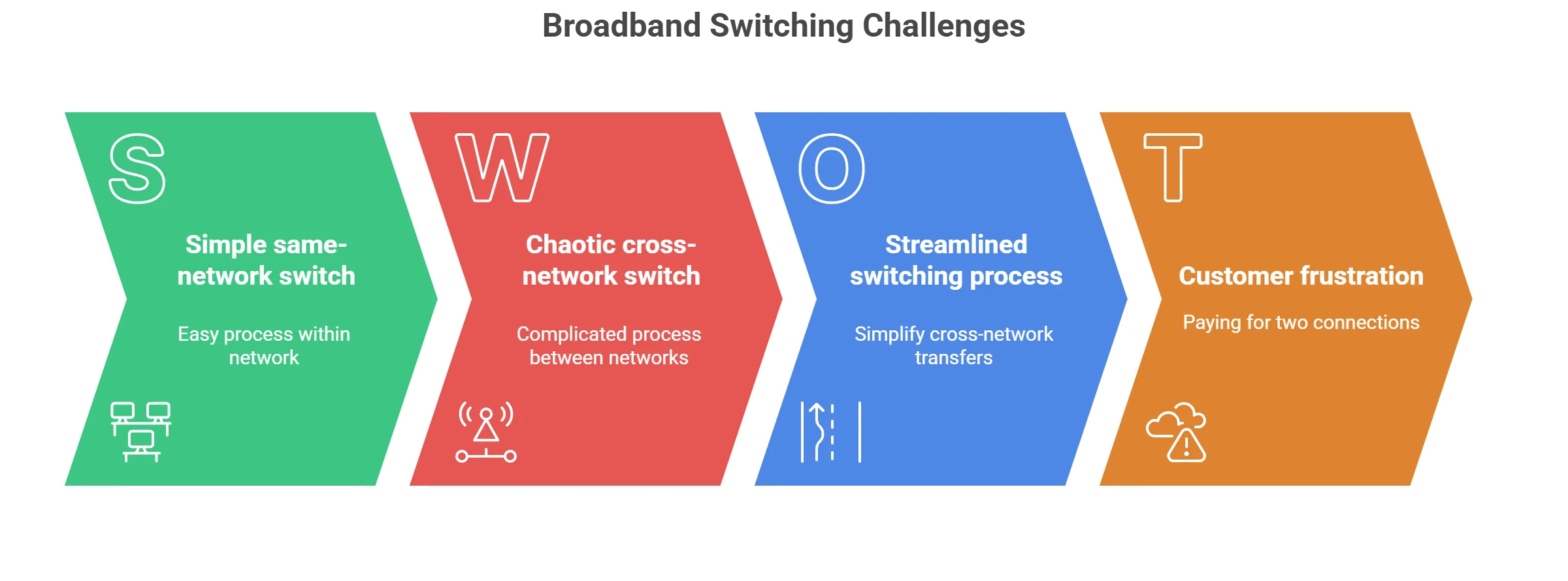
However, switching between different networks such as moving from an Openreach-based provider to a cable service like Virgin Media or a full-fibre specialist like Hyperoptic required you to manage two separate conversations. You had to cancel one service and start another, often leading to paying for two connections at once or facing days without internet.
The One Touch Switch system, mandated by Ofcom, completely unified this process. It uses a central hub managed by TOTSCo (The One Touch Switching Company) to match your details instantly. Now, the “Gaining Provider” (your new Internet Service Provider) takes the lead. They notify the “Losing Provider” (your current one), who then automatically sends you essential information about any early termination fees or contract impacts.
This “Gaining Provider Led” (GPL) process puts you in control. It removes the friction of retention departments trying to persuade you to stay and ensures that your internet service is not switched off until the new one is ready to go live.
How to switch your broadband or landline with One Touch Switch
Watch Ofcom's guide to the new process. It breaks down exactly how the rules have changed, confirming that you no longer need to juggle conversations with two different providers. The video highlights how the "One Touch" system removes the stress of coordinating dates and cancelling contracts yourself.

Table of Contents
hide
The Old Way vs. The New One Touch Way
To understand how much time you save, it helps to compare the current seamless process with the fragmented system we used prior to late 2024.
| Feature | Old “Notification of Transfer” (Pre-Sept 2024) | New “One Touch Switch” (Current Standard) |
|---|---|---|
| Who you contact | Often both providers (New to start, Old to cancel) | Only the New Provider |
| Cross-Network Switching | Manual coordination required (e.g. Virgin to BT) | Automatic and seamless across all networks |
| Downtime Risk | High (risk of disconnection before activation) | Minimal (services overlap or switch instantly) |
| Notice Period Costs | Often paid for 30 days overlap | Billing stops on the exact switch date |
| Retention Calls | Mandatory “haggling” with old provider | Completely eliminated |
How the One Touch Switching Process Works
- Use a broadband comparison tool to find your ideal package.
- Sign up with your chosen ISP (e.g., Vodafone, Community Fibre). You will need to provide your name, address, and ideally your current provider’s account number to help match your details.
- Your new provider sends a request to the TOTSCo Hub. The system instantly matches your details with your current provider.
- Your old provider automatically sends you a “switching implication” letter or email. This details any exit fees or loss of bundled services (like TV).
- You confirm to your new provider that you want to proceed.
- On the agreed date, your new service goes live, and your old service is cancelled automatically.
Related Articles
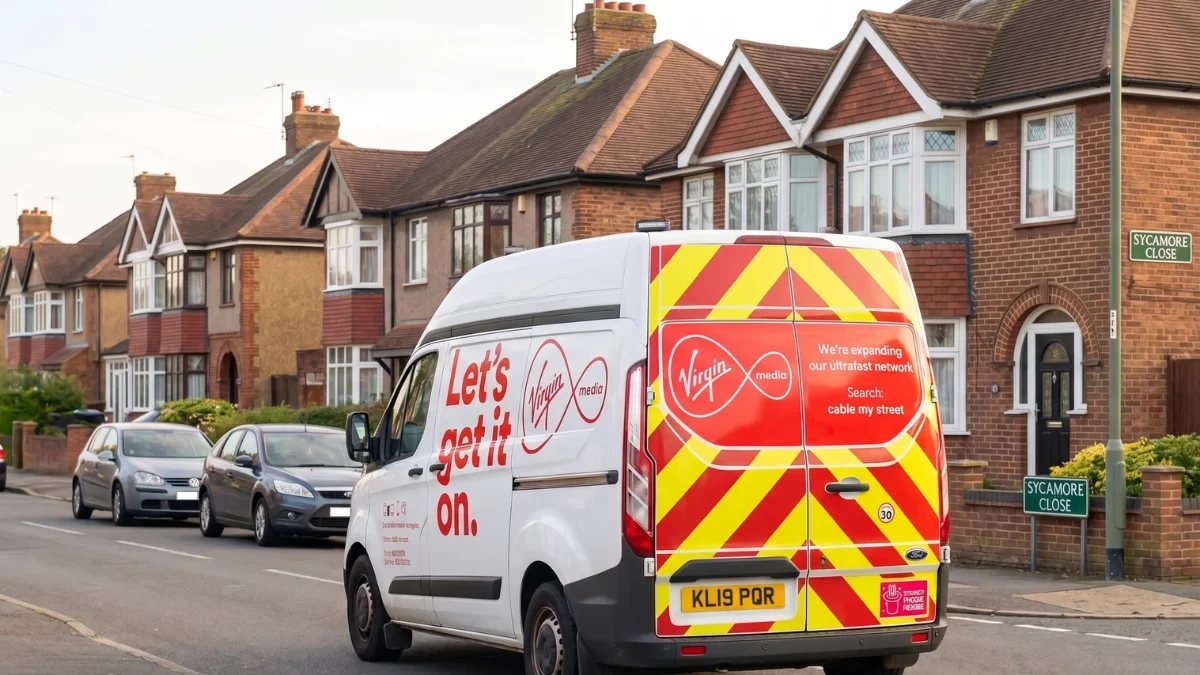
Ofcom Announces Record Virgin Media £28m Fine Over Cancellation Tactics
Ofcom issues a record Virgin Media £28m fine after uncovering deliberate tactics to stop customers from cancelling their broadband contracts. Learn how to bypass retention agents.
Rise Fibre Broadband Review and Deals in 2026
Rise Fibre Broadband Review: Fast, Simple Full Fibre for Your Home Rise Fibre delivers one of the UK’s most advanced broadband services by offering Full Fibre (FTTP), a direct fibre optic connection from the network straight to your home. Unlike older setups that rely on copper wiring for the final stretch, Rise Fibre’s infrastructure avoids […]
One Touch Switching and Broadband Bundle Packages
One of the biggest misconceptions about One Touch Switch is that it cancels everything associated with your account. This is not always true. If you have a “triple play” bundle (Broadband + TV + Mobile), you need to be careful.
Sky TV and Virgin Media TV
If you switch your broadband away from Sky or Virgin Media, the “TV” portion of your contract often remains active unless you specifically ask to cancel it.
- Sky Q / Sky Stream: Switching your broadband does not automatically cancel your Sky TV subscription. You will likely continue to be billed for TV, often at a higher standalone price because you’ve lost the “broadband bundle” discount. You must contact Sky separately to cancel or downgrade your TV service.
- Virgin Media: Because Virgin’s TV and Broadband are often sold as a single “hard bundle” on the same cable, switching broadband usually triggers a cancellation of the TV service too, or moves you to a pricey standalone TV tier. Check your “switching implication” letter carefully to see if your TV service is being ceased or re-contracted.
Linked Mobile Benefits (O2 Volt & EE)
Many broadband deals now come with “linked” mobile benefits. Switching broadband will break this link.
- Virgin Media & O2 “Volt”: If you leave Virgin Broadband, you lose your “Volt” status. This means your O2 mobile data will revert from “Double Data” to the standard allowance, and you may lose free roaming perks or speed boosts.
- BT & EE: If you are an EE mobile customer receiving a “Data Boost” because you have BT Broadband, this boost will be removed (usually within 30 days) after your broadband switch completes.
Don’t get fined for not returning the equipment
When you switch using One Touch, it’s easy to forget you still have the old router sitting on your shelf. Internet Service Providers (ISPs) like BT, Sky, Virgin Media, and TalkTalk now charge significant fees (often £50 – £100) if you don’t return their equipment.
- Your old provider will send you a pre-paid return bag or label after the switch is complete.
- What to Return: Usually the Wi-Fi Hub and the power cable. You generally don’t need to return Ethernet cables or microfilters.
- Always get a Proof of Postage receipt from the Post Office and keep it for 6 months. It is the only proof you have if they claim they never received it.
Internet Service Provider Switching Guides
Every provider handles the switch slightly differently depending on their network technology. Here are 11 common switching scenarios and what you need to know for each.
How to Switch from Virgin Media to Sky (or BT, Plusnet)
Moving from Virgin Media’s cable network to a provider that uses the Openreach network (like Sky) is now fully automated, but it does involve a physical change to your line.
- No need to call Virgin: Just place your order with Sky. They will speak to Virgin Media to cancel your old contract for you.
- Engineer visit likely: Since Sky uses a different cable to Virgin, an engineer may need to visit to install a new line or reactivate an old telephone socket.
- Continuous service: Your Virgin Media connection will stay active until Sky confirms the new line is working, so you won’t be left offline.
- TV equipment: If you have a Virgin TV box, check your switching letter to see if you need to return it or if your TV contract will change.
How to Switch from BT to Sky
Switching from BT to Sky is one of the most popular moves in the UK. Since both use the Openreach network, this is usually a seamless “remote switch” with no engineer visit required unless you are upgrading to Full Fibre for the first time.
- The Switching Credit: Sky is aggressive about winning BT customers. They currently offer up to £200 credit to cover your BT exit fees. You must pay BT first, then claim the money back from Sky by uploading your final bill.
- Equipment: You must return your BT Smart Hub and any TV Box Pro units. BT will send you a white return bag. If you don’t return them, you will be charged around £50 per device.
How to Switch from Sky to EE (New EE)
BT Consumer is now branding its flagship home broadband as EE. Moving from Sky to EE is an “Openreach to Openreach” switch, meaning your physical line often stays the same, but the router and back-end service change.
- The “Buyout” Offer: EE currently has one of the highest buyout offers, providing up to £300 towards early termination charges if you leave Sky mid-contract.
- Mobile Perks: The main reason to make this switch is the “EE One” benefits. If you are an EE mobile customer, switching your broadband to EE unlocks unlimited data on your mobile plan.
How to Switch from Virgin Media to TalkTalk
Moving from Virgin (Cable) to TalkTalk (Openreach) is a great way to cut costs, as TalkTalk is often significantly cheaper.
- Physical Change: This is a “Network Switch.” TalkTalk cannot use the Virgin socket in your wall. You will need to use your existing telephone socket or have an Openreach engineer install a new fibre box.
- The “Android” Upgrade: TalkTalk’s TV Hub is 4K-ready and runs on Android TV. Unlike Virgin’s TiVo/360 box, it doesn’t record to a hard drive (it uses cloud storage or apps).
How to Switch from TalkTalk to Plusnet
This is a “Budget to Budget” switch. Both providers run on Openreach and compete on price, making this a very simple administrative change.
- Zero Downtime: Because both Internet Service Providers use the exact same underlying technology (FTTC or FTTP), the switch often happens instantly. You might only notice a 2-minute connection drop around midnight.
- No TV Box: Plusnet no longer offers a TV set-top box. If you rely on TalkTalk TV for recording shows, you will need to buy a separate Freeview recorder or use smart TV apps before you switch.
How to Switch from Plusnet to TalkTalk
If you are moving the other way, perhaps to get a cheaper Full Fibre deal the process is equally simple via One Touch Switch.
- Router Return: Plusnet is generally relaxed about older routers, but if you have their latest “Hub Two,” they may ask for it back. TalkTalk will send you their Amazon Eero router (for Full Fibre) or a Wi-Fi Hub (for copper).
How to Switch from Vodafone to Virgin Media
Vodafone uses the Openreach network (and sometimes CityFibre), while Virgin uses its own cables. This switch is popular for users chasing gigabit speeds that Openreach cannot yet deliver in their area.
- The Credit: Virgin Media offers up to £200 bill credit to help you leave Vodafone early.
- Installation: Virgin must install a new cable to your home. This involves a small amount of drilling. You can keep your Vodafone router plugged in and working until the Virgin engineer finishes the job, ensuring you are never offline.
How to Switch from Openreach (BT/Sky/EE) to Community Fibre
If you live in London, moving to Community Fibre is a common choice for speed. They operate a totally separate “Alt-Net” network.
- The “60 Day” Promise: Community Fibre handles the switch via One Touch. Uniquely, they often offer a 60-day satisfaction guarantee, allowing you to leave without penalty if the service doesn’t work for you.
- Free Months: Instead of paying your exit fees directly, Community Fibre often offers 3 to 6 months of free service at the start of your contract. This “offset” allows you to pay off your old provider’s final bill using the money you saved on the new broadband.
How to Switch from Openreach to Hyperoptic
Hyperoptic is famous for installing in apartment blocks (MDUs). Switching to them is slightly different because their cables are often already in the building’s basement.
- “Switch Now” Offer: Hyperoptic has a specific deal where they will give you free broadband until your current contract with your old provider ends (up to 9 months). You just need to show them your contract end date.
- Plug and Play: In many newer apartment blocks, the Hyperoptic socket is already pre-installed above the front door. The switch can be instant, you just plug in their router.
How to Switch from Openreach to Gigaclear
For those in rural areas, switching to Gigaclear involves moving from copper phone lines to a dedicated rural fibre network.
- Pot Installation: Gigaclear installs a “pot” at the boundary of your property. You may need to agree on a route for them to dig a small trench across your garden to get the cable to your house wall.
- Contract Buyout: Gigaclear offers “Free broadband for up to 12 months” if you are stuck in a contract with BT or Sky.
How to Switch from Zen Internet to a Major ISP
Zen Internet is a premium provider known for using high-end “FRITZ!Box” routers. Leaving them requires one specific step.
- Strict Router Return: Zen does not lock these expensive routers to their network, so they retain ownership. You must return the FRITZ!Box when you leave, or you will be charged a steep replacement fee (often £100+).
- One Touch Validity: Even though Zen is smaller than the “Big Four,” they are fully integrated into the TOTSCo Hub, so you do not need to call them to cancel.
Broadband Contract Buyout Offers 2026 Comparison Table
Many providers now offer to “buy you out” of your existing contract. Use this table to check if you can leave your current provider early without losing money.
| New Provider | Max Credit Amount | Type of Offer | Key Terms & Conditions |
|---|---|---|---|
| Sky | Up to £200 | Bill Credit | Must claim within 90 days of activation. Credit applied to Sky bill. |
| Virgin Media | Up to £200 | Bill Credit | Requires final bill from old provider. Excludes 30-day rolling contracts. |
| EE | Up to £300 | Bill Credit | Highest major buyout. Valid for new customers on Fibre Plus/Full Fibre plans. |
| Vodafone | Up to £200 | Account Credit | Claim via online form within 60 days. |
| Hyperoptic | Up to £300 (or Free Months) | Switch Now Promise | Often gives “Free Service” until old contract ends (up to 9 months). |
| Community Fibre | ~£150 Value (Free Months) | 6 Months Free | Does not pay cash. Offers 3-6 months free service to offset old costs. |
| Gigaclear | 12 Months Free | Free Service Period | “Free until your old contract ends” (up to 12 months max). |
| YouFibre | Up to £300 | Bill Credit | Requires proof of exit fees. |
How to Request Your Final Bill (Free Email Template)
To claim the credits listed above, you need proof of your “Early Termination Charges.” Do not use this email to cancel your service (the One Touch process does that). Use this only to request the document after you have ordered your new service.
Subject: Request for Final Bill and Early Termination Charge Breakdown – [Your Account Number]
To Customer Support,
I am writing to formally request a detailed breakdown of my final bill and any applicable Early Termination Charges (ETCs) associated with my account [Insert Account Number].
I am in the process of switching to a new provider under the One Touch Switch process. To claim my contract buyout offer, I require a document that clearly shows my Name, Address, and a specific line item for the “Early Termination Charge.”
Please generate this as a PDF and email it to me at [Your Email Address].
Thank you,
[Your Name]
The introduction of One Touch Switching has revolutionised the UK broadband market, finally placing the power in the hands of the consumer. By removing the administrative headache and fear of downtime, it has never been easier to take advantage of the competitive deals available in 2026.
Common One Touch Switch Questions (FAQ)
What is One Touch Switch?
One Touch Switch (OTS) is a regulatory framework introduced by Ofcom that simplifies the process of changing fixed voice and broadband providers in the UK. Launched fully in September 2024, it mandates a “Gaining Provider Led” process. This means residential customers no longer need to contact their existing broadband supplier to cancel their contract. Instead, the new provider handles the entire technical and administrative transfer, regardless of the physical network (e.g., Copper, Fibre to the Cabinet, or Full Fibre) used by either provider.
How long does the switch take?
No, you strictly do not need to contact your old provider to cancel. In fact, under the OTS rules, your old provider is not allowed to impose a “Notice of Transfer” cancellation on you if they know a switch is in progress. The entire cancellation process is triggered automatically by your new provider. The only time you might want to contact them is if you want to haggle for a better deal to stay, but for leaving, it is zero-touch.
Can I switch mid-contract?
Yes, you can use One Touch Switch to leave your provider even if you are mid-contract. However, the OTS process does not waive your contractual obligations. When your switching request is processed, your old provider will send you a mandatory communication detailing the “Early Termination Charges” (ETCs) you will need to pay. You must agree to these potential charges before the new provider completes the switch.
What if I am moving house?
In the vast majority of cases, no. Porting your landline number is a core part of the One Touch Switch regulations. When you sign up with a new provider, simply state that you wish to keep your existing number. The TOTSCo Hub facilitates the transfer of the number along with the broadband service. However, if you are moving to a broadband-only (data-only) package that does not include a voice service, you will lose your number unless you port it to a VoIP provider separately.
How much downtime will I experience?
The goal of One Touch Switch is to ensure no loss of service. For most customers, the downtime is negligible and often just the few minutes it takes to swap the cable from your old router to your new one. Because the “stop” and “start” messages are synchronised between providers, your old connection should remain active right up until the moment your new connection is verified as working.
Which providers are included?
All residential broadband and landline providers in the UK are legally required to participate in One Touch Switch. This includes the “Big Four” (BT, Sky, Virgin Media, TalkTalk) as well as all alternative network providers (Alt-Nets) like Gigaclear, Hyperoptic, Community Fibre, YouFibre, and Toob. If a provider sells to residential customers, they must use the OTS system
What is the TOTSCo Hub?
The TOTSCo Hub is the secure, industry-wide messaging platform that powers the switching process. It was created by The One Touch Switching Company (TOTSCo), a non-profit organisation founded by the telecoms industry. The Hub acts as a translator and messenger, allowing different providers’ IT systems to talk to each other. It matches customer details (like address and surname) to ensure the correct account is switched and secure data is exchanged instantly.
Is there a switching fee?
There is generally no fee for the switching process itself. The act of using the One Touch Switch mechanism is free for consumers. However, you may incur costs related to your specific contract, such as Early Termination Fees, setup fees, or postage costs for returning old equipment.
What happens to my old email address?
If you use an ISP-provided email address (like @btinternet.com or @virginmedia.com), you risk losing it when you switch. The One Touch Switch process does not automatically transfer email accounts. Some providers, like BT, offer a “Premium Mail” service that allows you to keep your email address for a monthly fee. It is highly recommended to migrate to a free, provider-independent email service (like Gmail or Outlook) before switching.
Can I use OTS for business broadband?
One Touch Switch is primarily a regulation for residential customers. However, many small business broadband contracts sold by major ISPs (like home office packages) function similarly to residential lines. While business providers are not strictly mandated to use the TOTSCo residential hub in the same way, the industry is moving towards a similar streamlined process. For purely commercial leased lines, OTS does not apply.
What if my switch is delayed?
If your switch is delayed, you are protected by Ofcom’s automatic compensation scheme. If the switch does not happen on the agreed date, or if you are left without service for more than one working day, you are entitled to roughly £9.76 per day (subject to annual inflation adjustments) in compensation. This is paid automatically as a credit on your bill; you do not need to ask for it.
Does OTS work for mobile broadband?
No, the One Touch Switch regulations specifically apply to fixed voice and broadband services (landlines, fibre, cable, copper). It does not apply to mobile services (SIM-only, 4G/5G home broadband hubs). Switching mobile providers uses a different “Text-to-Switch” (PAC/STAC code) system which has been in place since 2019.
What details do I need to provide?
To ensure a successful “match” in the TOTSCo Hub, you need to provide accurate data to your new provider. This typically includes your surname (exactly as on your bill), your postcode, your current provider’s name, and ideally your current Account Number to prevent delays.